Tower of Saviors Auto Combo for IOS (FREE)
Famous puzzle game in iOS and Android - Tower of Saviors. An addictive and widely popular smash hit mobile game, match three or more gems of the same color to gain score and combo. What if you are so busy or lazy to fight with low level monster, today we will share out how to do auto combo for Tower of Saviors in iOS7. This great apps is FREE! so you can auto play it in everywhere, anytime. However, this post is informational purposes only, because using cheats may reduce your game fun and affect you to enjoy the game. Requirements:
- Jailbroken iOS 7 device
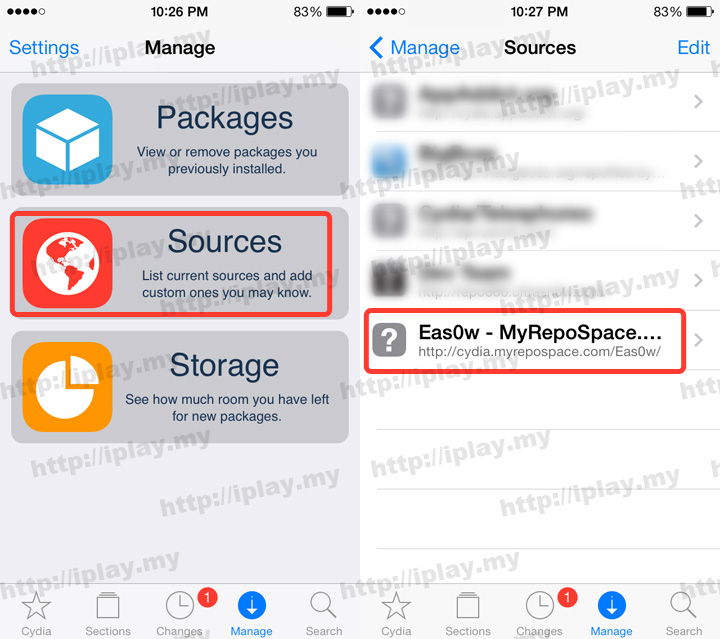
- Add cydia.myrepospace.com/Eas0w/ in to your Cydia repo
- Updated: 2014-09-08 Cydia Repo www.eason.tk
Download Tower of Saviors
 English Version (Non-us area)
How to Auto Combo for Tower of Saviors
- Add cydia.myrepospace.com/Eas0w/ in to your Cydia repo
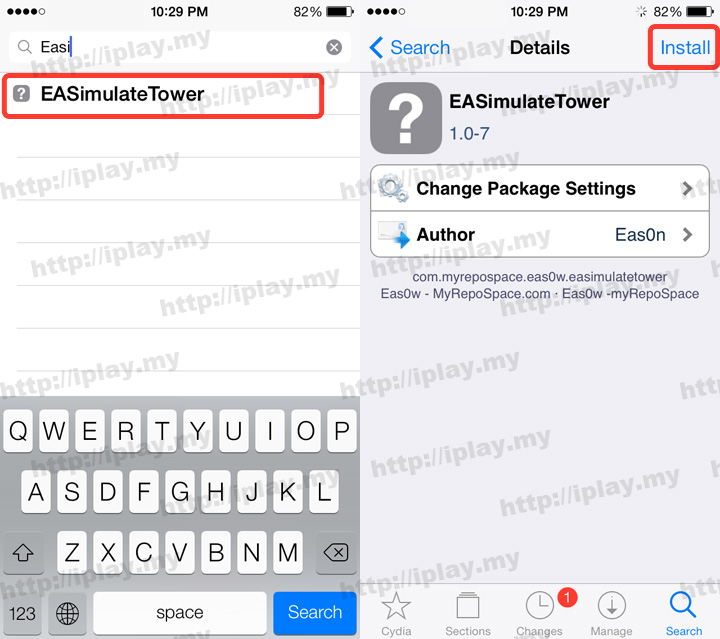
- At Cydia search "Easi", you will see EASimulateTower in the list.
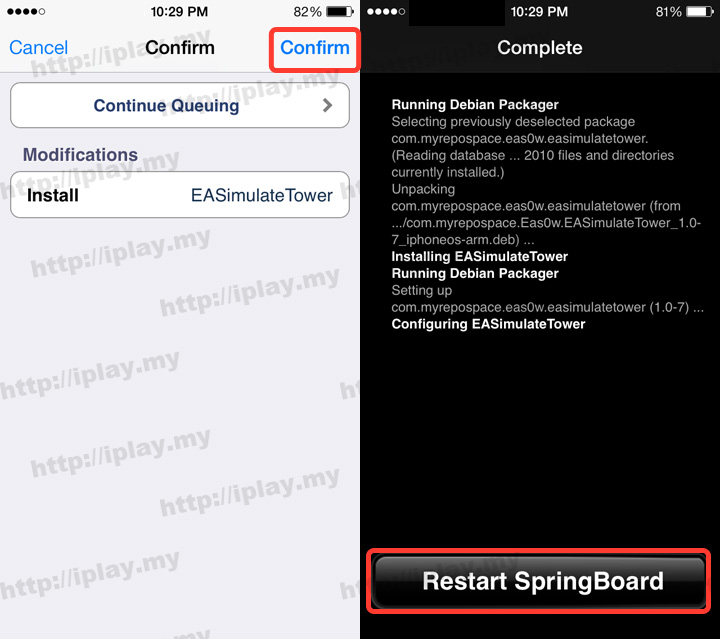
- Press confirm to install and restart SpringBoard.
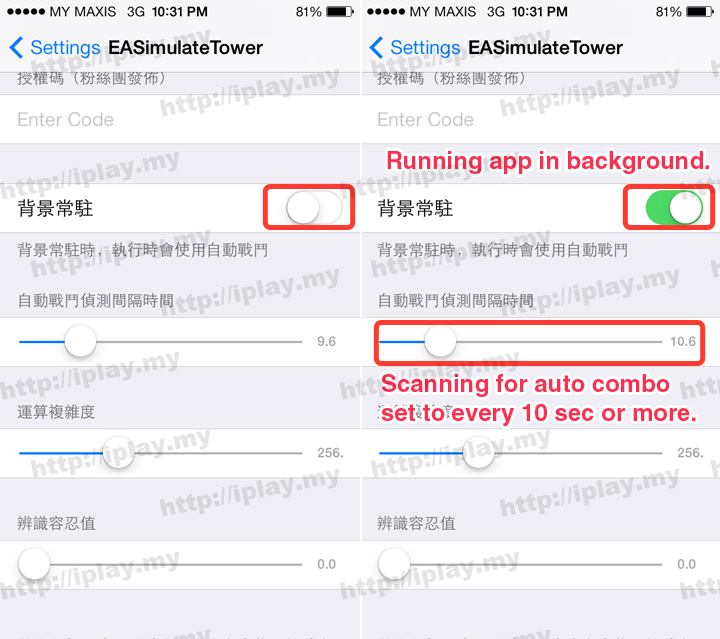
- Go to iOS Setting > EASimulateTower, activate the app run in background and set the scanning time for auto combo every 10 sec or more.
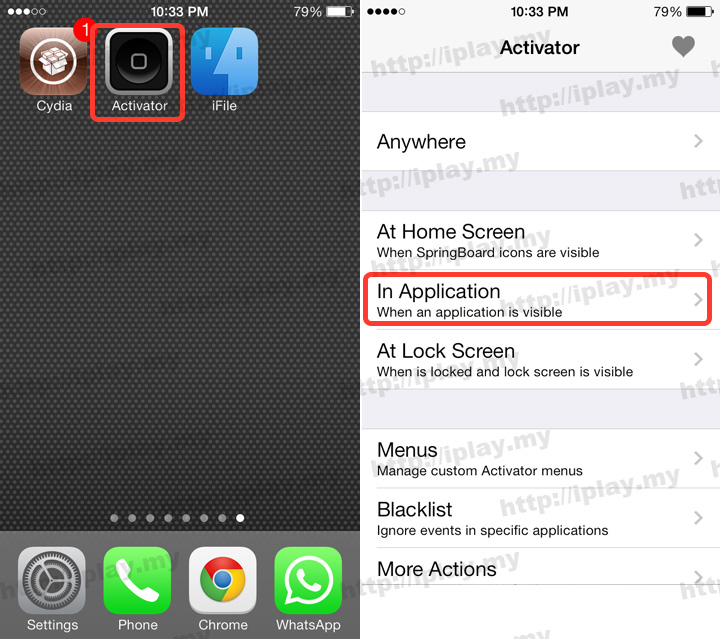
- Go to Activator > In Application
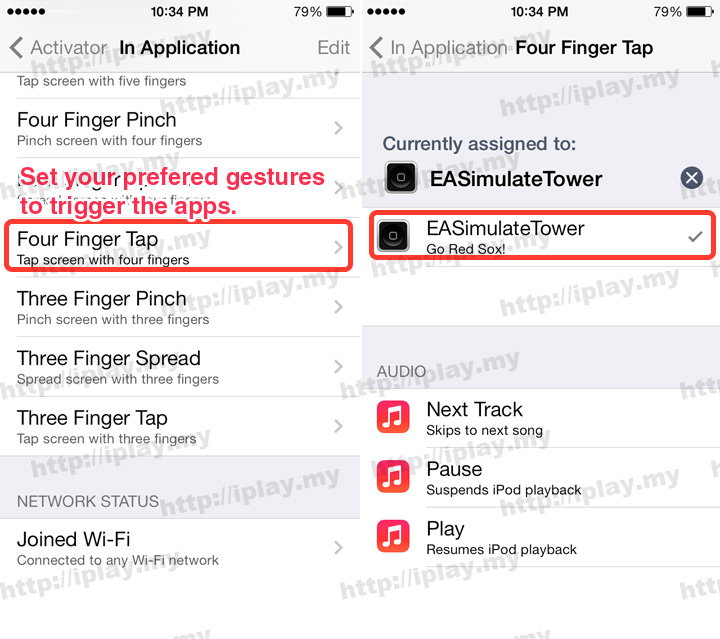
- Set your prefered gestures to trigger the EASimulateTower. (Four finger tap here)
- Open the TOS, tap four fingers to trigger the apps and active the auto combo.
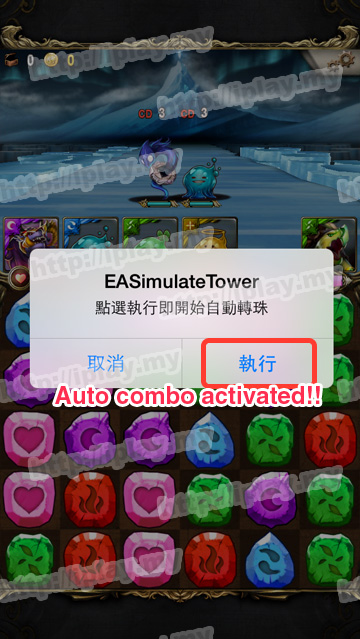
Auto Combo for Tower of Saviors
Have tested with iOS 7.0.4 only and works well in any laguages of Tower of Saviors.